
Krishii ONE Guide › Entertainment
Add a TV or another device
Link your TV with a code or QR, like Netflix, Prime Video or Hotstar, and see every linked device.
Link your TV
Linking a TV works just like Netflix, Prime Video or Hotstar.
- Open Krishii One on your TV. It shows a QR code and a short code.
- On your phone: scan the TV’s QR code from Account → Pair your TV in the app.
Or on the web: go to My account → My account → Connect TV and type the code shown on the TV. - Confirm. The TV signs in to your account.

Connect TV: type the code shown on your TV.
See every linked device
My account → My account → Devices lists every phone, TV and browser signed in to your Krishii ONE. You can rename a device or sign it out if you no longer use it.
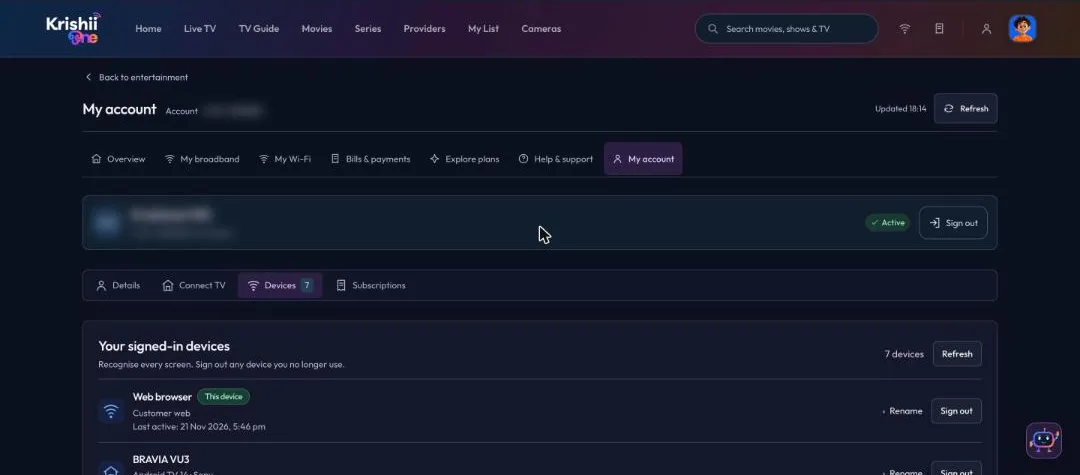
Devices: every screen signed in to your account.
Lost a phone or sold a TV? Sign it out from this list straight away.