

Krishii ONE Guide › Start here
Get the app and sign in
Download Krishii ONE on your phone or TV, or use it in any web browser.
Download
- Android phone and Android TV: get Krishii One from Google Play.

- Laptop or computer: open krishii.one in your browser. No download needed.
Sign in
- Open Krishii ONE.
- Sign in with your Krishiinet account. You can use a one-time code (OTP) or your password.
- Pick your profile on the “Who’s watching?” screen. That’s it: the app now shows your own pack.
Forgot your password? Use the OTP option or the reset link on the sign-in screen. If you are still stuck, WhatsApp us.
Your laptop becomes an entertainment desk
Everything in the app also works at krishii.one: live TV, the TV guide, movies, series, your apps, My List, your account and support. Handy at the office, in a hostel or anywhere you have a laptop.
No smart TV or set-top box at home? You can watch local TV channels straight from krishii.one.
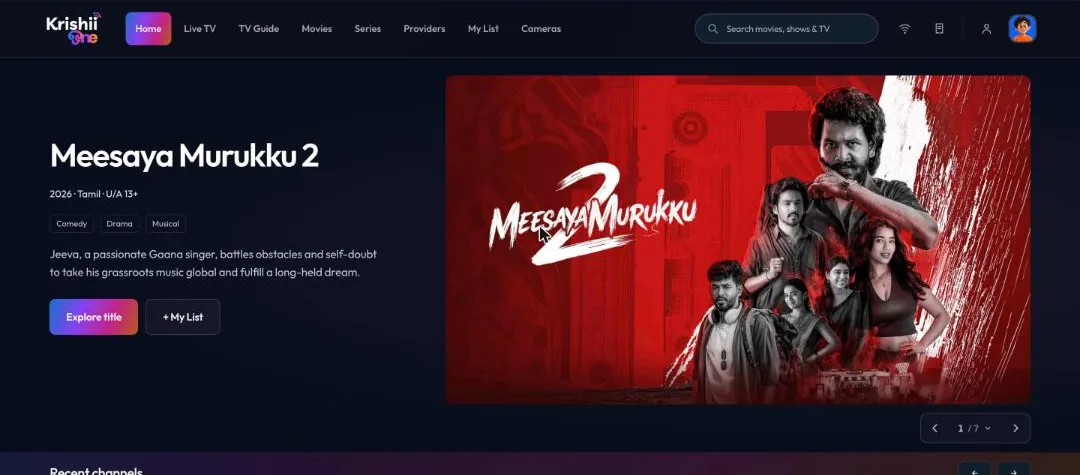
krishii.one in a web browser: the same home screen as the app.
On your TV
Install Krishii One on your Android TV, then link it to your account with a code or QR. See Add a TV or another device.