

All your OTT apps in one place
Sign in once. Krishii ONE shows the apps in your pack and opens the right one for you.
Sign in once
You sign in only to Krishii ONE. It knows your subscription, shows the apps in your pack and deep-links you straight into the right app for the movie or show you picked.
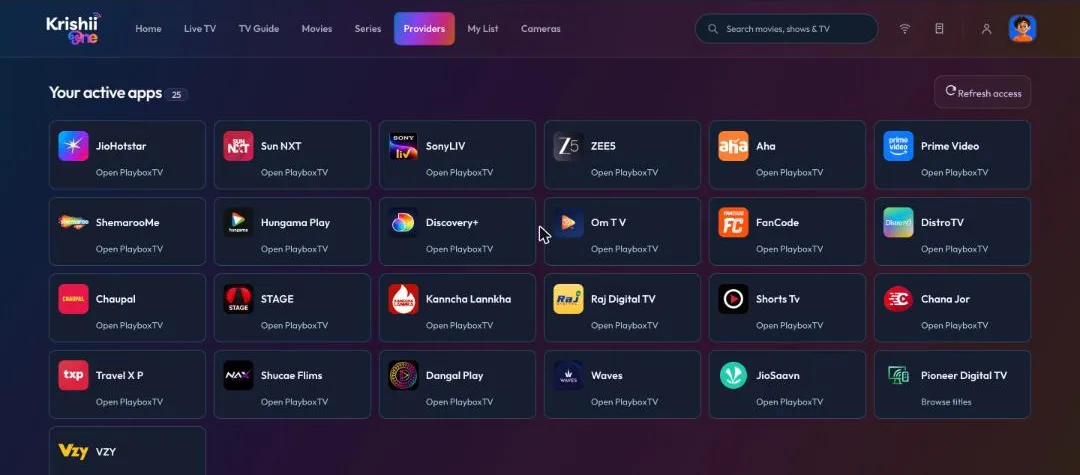
Providers → “Your active apps”. The line under each app tells you how it opens.
Read the app card
- “Open PlayboxTV” (or another app name): this app’s content plays through that partner app. Krishii ONE opens it for you.
- “Browse titles”: browse this app’s titles right inside Krishii ONE.
Choose your platform
Have subscriptions on both PlayboxTV and VZY? When a title is on both, Krishii ONE lets you pick which platform plays it. The choice is fully yours, and you can pick differently next time.
“Where to watch” on every title
Open any movie or show. Under Where to watch you see the service that has it and whether it is Included in your plan.
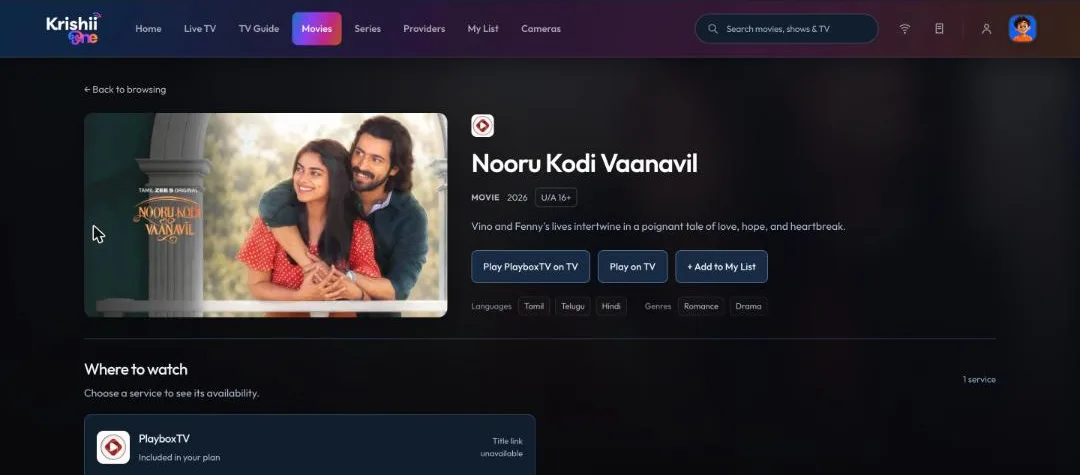
A movie page: play it, send it to your TV, add it to My List, and see where to watch.
Play on TV, even from your office
Tap Play on TV on any title and it starts on the TV at home that is linked to your account. You can do this from your phone or from krishii.one on your office laptop.
Parents use this to choose exactly what the kids watch: keep an eye on the TV at home and send the movie or show you want them to see. See also Profiles and Kids mode.
See your packs and validity
Go to My account → My account → Subscriptions to see each pack, how many apps it includes and how long it is valid.
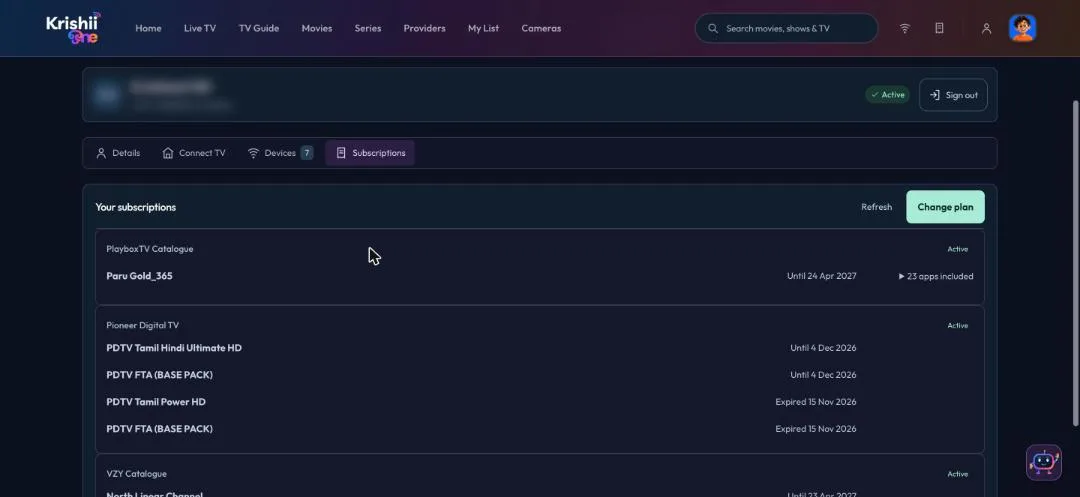
Subscriptions: each catalogue in your pack, with its validity date.